Finance Intelligence Agent in Sage Intacct Construction: how to ask your books a question and get the answer with analysis

Controllers at GCs and specialty contractors spend real time fielding requests every week: AP aging for a specific vendor, outstanding AR by project, job-level cash position, GL variance on a cost code that's trending wrong. Each answer is in Sage Intacct Construction. Getting to it still means knowing which saved report to run, setting the right filters, or building a new one in the Report Writer when no saved version fits the question.
Finance Intelligence Agent (FIA) retrieves, aggregates, and summarizes that data in plain language, explaining how each answer was produced so the team stays in control of what they're seeing. Beyond returning the answer, FIA can analyze trends, flag what looks unusual, and help your team evaluate the next step without the manual work in between.
For construction finance teams managing job cost, subcontractor commitments, and cash across multiple projects, that reduces the time between a question and a decision.
Finance Intelligence Agent and Copilot: what each name refers to
Sage uses both names across the platform and product documentation. For users, the experience is Copilot. For administrators configuring access, the subscription is called Finance Intelligence Agent.
- Finance Intelligence Agent is the AI engine. It processes the question, queries the relevant financial tables, and returns a response from live Sage Intacct Construction data.
- Copilot is the interface, the chat panel inside Sage Intacct Construction where your team types the question and reads the response. FIA runs the query from within it.
The early adopter program
Sage is making FIA available broadly to all customers (June through October 2026) to maximize feedback and get to the finished product faster. There are no subscription fees during the early adopter period.
When FIA reaches your environment, a notification appears at login. An administrator enables it under Company Admin > Subscriptions > Finance Intelligence Agent, accepts the early adopter agreement, and assigns permissions by role. If your environment doesn't show the subscription yet, your rollout window hasn't opened. It will.
Query project data using dimensions
FIA queries six Sage Intacct Construction core modules: AP, AR, GL, Cash Management, Order Entry, and Purchasing. The project module (job cost at the cost code level and WIP schedules) is not yet directly accessible, but the dimensional structure in Sage Intacct Construction makes more project data accessible than that limitation implies.
Monica DeLisle, Solution Engineer, explains: "Because of the dimensional aspect of Sage Intacct Construction and the way dimensions are tagged to all the transactions all the way to the GL, you can still get a lot of your project data even with access limited to those core financial tables."
That result depends on how the books are built. Two data requirements before FIA delivers reliable results:
- Dimension discipline. Dimensions need to be tagged consistently down to the GL across Vendor, Project, Cost Code, and Item. Inconsistent tagging produces partial answers, and the output alone won't tell you which answers are incomplete.
- Project budgets configured to post to GL budgets. For project-level figures to be reachable through FIA, project budgets need to be configured to post to the GL. When that structure is in place, FIA can return job-level data through the dimensional layer.
Watch a 10-minute demo
How to write a good prompt
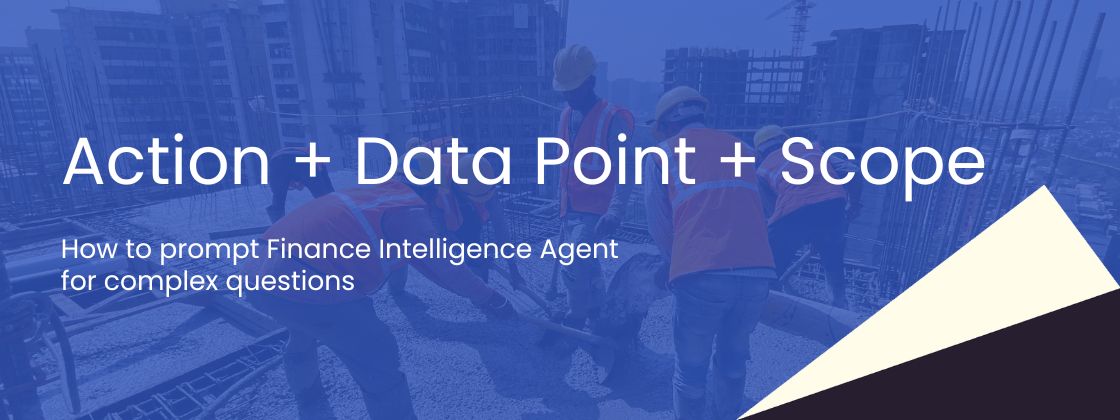
The quality of theanswer depends on how the question is framed. Sage's three-step structure: Action+ Data Point + Scope
- Start with an action: Show / List / Find/ How many / What's the total
- Follow with the data point, the specificfinancial record you need: AP bills, purchase orders, overdue vendor invoices,GL accounts, AR payments
- Close with scope, the condition thatnarrows the results: for vendor [name] / for project [ProjectID] / due thismonth / over [amount]
Some examples:
- "What'sthe total AP spend for project [ProjectID]?"
- "Showpurchase orders pending approval for user [name]"
- "Showpaid invoices without a source PO"
- "Listoverdue AP bills"
Two things to note:
- ProjectIDspelling and capitalization matter.
FIA uses the exact spelling and capitalization of IDs and names as they appearin Sage Intacct Construction. If a project ID is listed as PRJ-2024-07,querying prj-2024-07 will not return the same result. Always match Intacct'sformatting.
- Formulti-entity data, add "include private."
If you are working at the top level and want to pull entity-level data acrossthe organization, add the phrase to your prompt: "List all AP bills duethis month over $10,000 and include private." Without it, the queryreturns only top-level records.
How to prompt complex questions by job role
For complex questions, the best practice is to ask one question at a time. Start with the broad data point, review what comes back, and build the next question from the result. FIA holds the conversation context so follow-up prompts do not need to restate the full setup.
Each sequence below starts with a simple data question and narrows toward a specific decision or analysis.
Owner: cash and AR recovery
Scenario: understanding cash exposure across customers and projecting recoveries.
CFO: vendor AP exposure
Scenario: finding where overdue AP is concentrated and which vendor relationship needs attention.
For a multi-entity picture at the top level, add "include private" to the first prompt.
Office manager / accounting: AP exception cleanup
Scenario: identifying invoices that moved through without a purchase order and sizing the gap before close.
Project manager: job commitment picture
Scenario: understanding where a job stands on committed spend versus what has been invoiced.
Why reasoning layer matters in construction
Construction finance runs on auditability: job cost, WIP, AIA billing, retainage. Every number a controller presents to a lender, an auditor, or an ownership group has to trace back to something the team can verify. FIA's makes that verification available.
Every FIA response includes a "How Copilot worked this out" tab. Select it and you see the steps FIA took: which tables were queried, what conditions were applied, what logic was followed. If an answer looks off, that panel shows exactly where to look and how to rephrase.
Finance Intelligence Agent vs. Sage Intacct AI Gateway
Both tools answer plain-language questions against Sage Intacct Construction core modules. Both require consistent dimensional structure and project budgets configured to post to the GL.
The difference is where your team works. Finance Intelligence Agent works from inside Sage Intacct Construction, in the flow of the workday. Sage Intacct AI Gateway routes live Intacct data to the tools your team already uses outside the system like Claude, with every query logged and the connection read-only.
Which AI tools fits your team today varies between companies. Watch the on-demand session where Monica walks through three AI tools in Sage Intacct Construction worth exploring.



The right foundation for your next stage of growth
Our team of experts is here to help guide you every step of the way. Let’s start your ERP journey today!